How to Read a .cif File Without a PhD
So you’ve downloaded a .cif file. Congrats, you now own a cryptic text document that looks like someone’s cat walked across a keyboard.
The good news, you don’t need a PhD to make sense of it. You just need VESTA, a free crystal visualization tool, you can tell engineers made the website don’t come at me.
VESTA stands for Visualization for Electronic and STructural Analysis and you can download it here. Warning: the UI looks like it time-traveled from Windows 95, but it works.
What is a .cif File Anyway?
A CIF, short for Crystallographic Information File, is basically the blueprint for a crystal structure. It lists the atoms, their positions, the symmetry rules, and all the other structural details that make your material behave the way it does. Without software, though, a CIF is just a wall of human-unfriendly coordinates.
This is where VESTA comes in. It lets you see the atoms instead of worshiping the matrix. Open the CIF, rotate the structure, repaint the atoms, and finally understand what’s happening inside your favorite cathode without a single crystallography course on your transcript.
Where to Get .cif Files
There are two solid free databases:
We have already done some of the work here for you if you’re looking for LCO, LFP, NMC, and sodium-ion options like Prussian White: here are the .cif files we have used
Importing Your First .cif into VESTA
Step-by-step:
Open VESTA.
File > Open > select your .cif file.
Boom—atoms appear in a 3D box.
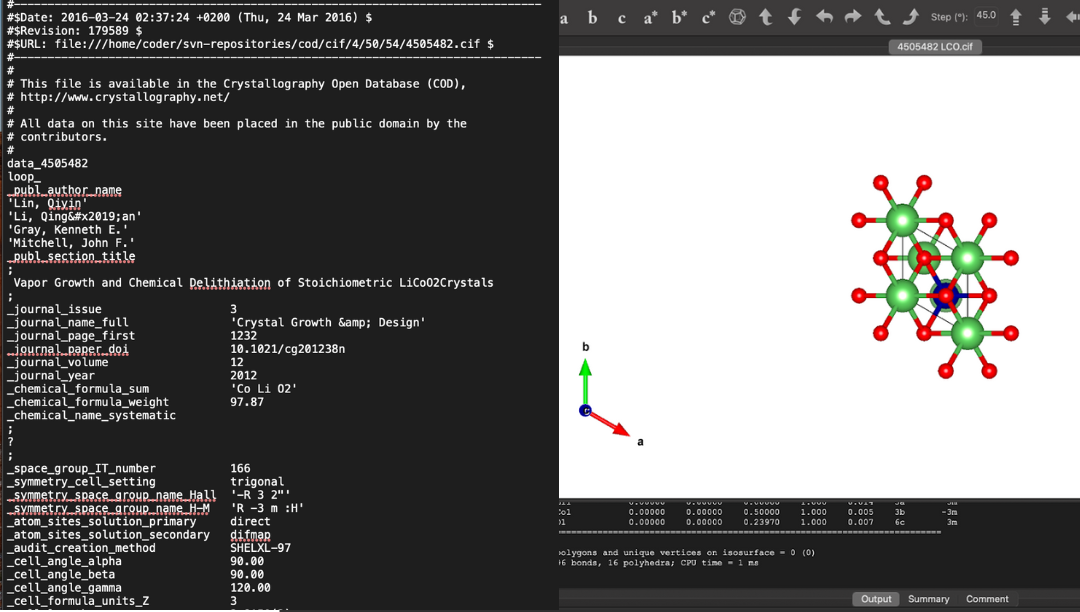
Left: .cif file
Right: the same .cif file opened in VESTA
Coloring Like a Pro
Tip: use Style > Properties > Atoms tab to select and recolor elements.
VESTA’s default colors are… choices. Let’s fix that. Here’s the Battery Burn Book approved palette:
O = moss green
Fe = ocean
Li = plum
P = sky
Co = ocean
Na = tangerine
Mn = magenta
C = iron
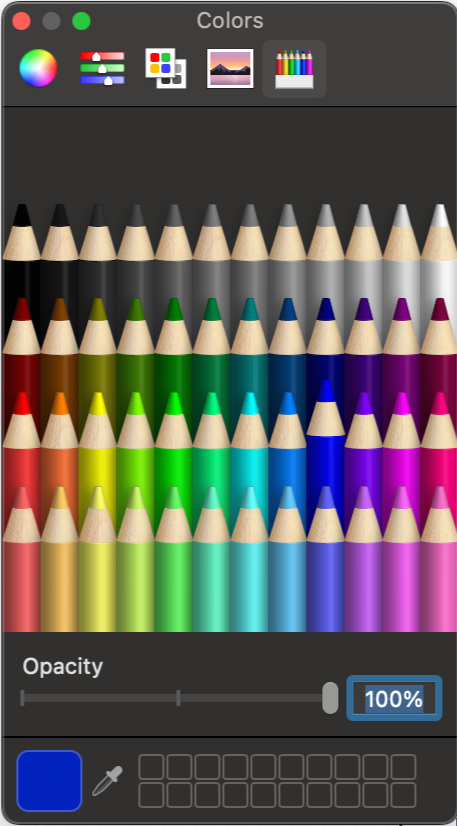
The colors you can choose in VESTA
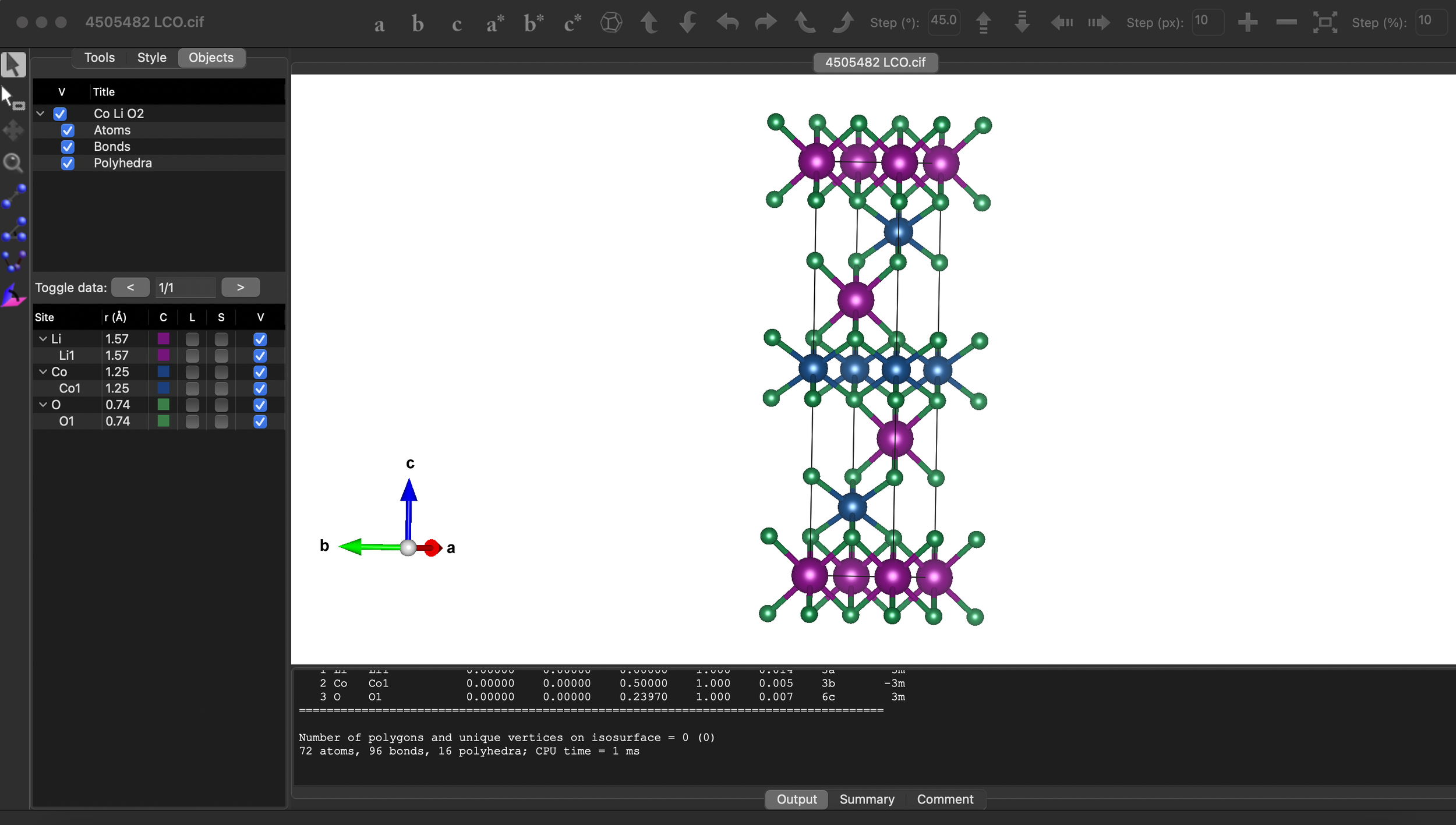
LCO now colored with the BBB approved colors
Cleaning Up the Structure
Style > Properties > General
Select “do not show” for the unit cell (otherwise it looks like a Minecraft cage).
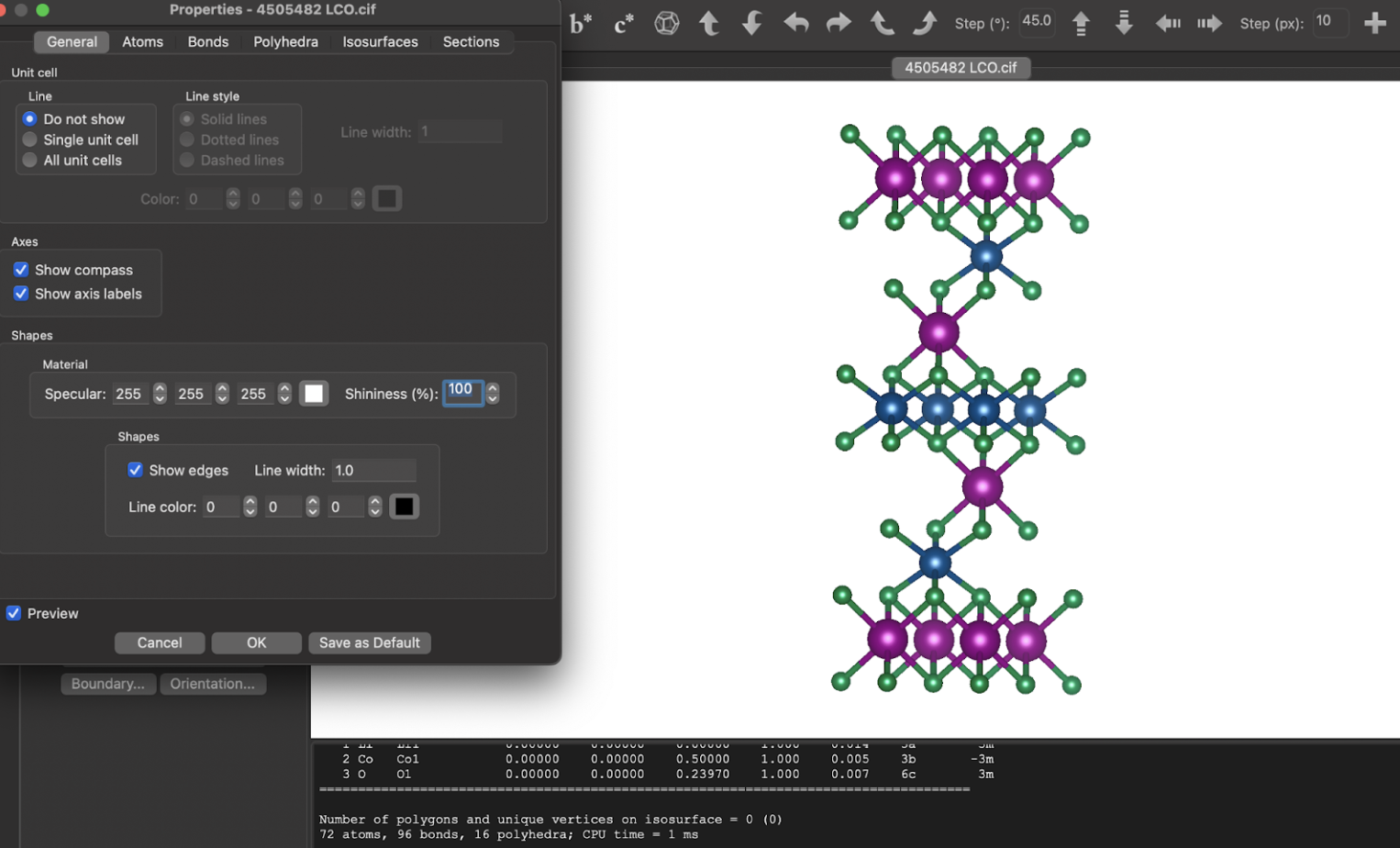
Do not show unit cell, 100% shininess
Pro move: set shininess to 100% for Instagram-ready atoms.
Delete bonds you don’t need, e.g., BBB deletes Li–O bonds in our cathodes for aesthetic reasons
Goal: a crystal structure that looks clean
Select the bond, the lighting on it changes, and hit delete
Exporting Pretty Pictures
File > Export Raster Image.
Choose magnification and file type.
Now you’ve got a PNG for presentations, papers, or memes.
Why VESTA is a Battery Nerd’s Best Friend
Lets you spot intercalation sites visually.
Compare layered vs. spinel vs. olivine structures.
Useful for teaching, research slides, or fundraising decks
The TLDR
.cif = blueprint for crystals
VESTA = free viewer that makes them 3D and pretty
Color code, clean up, export
You don’t need a crystallography PhD, just decent taste in colors